

Get Quotes in Seconds
Describe the work in your own words. Estimo AI creates an itemised quote in seconds, ready for you to check and fine-tune before sharing.
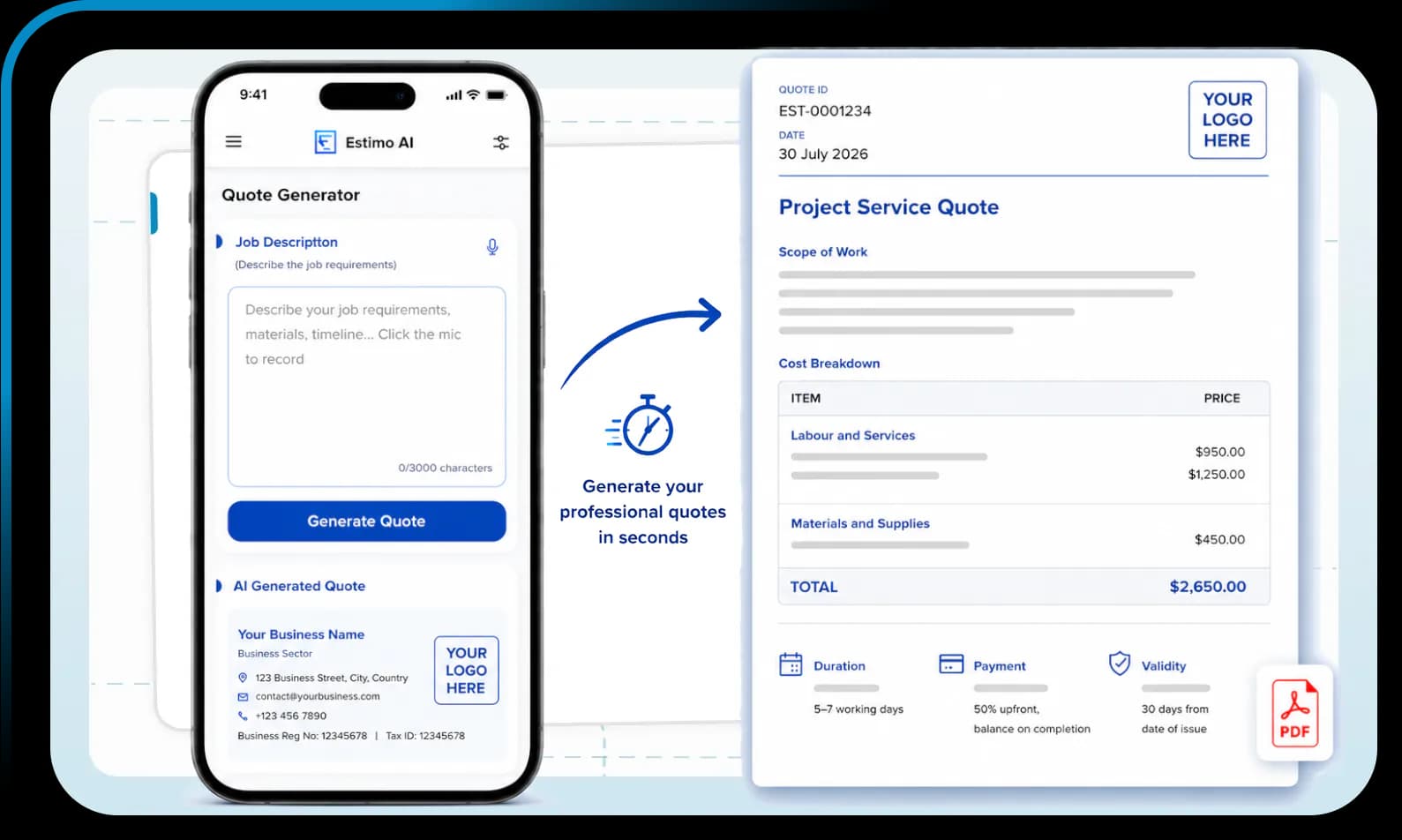

Describe the work in your own words, with optional photos for context. Choose your Quote language, then review an itemised draft with your business header and terms. Fine-tune it and download a branded PDF.
For anyone who needs to quote for a job, project or service.
30 days and 10 AI-generated Quotes. No card or paid-plan choice upfront.
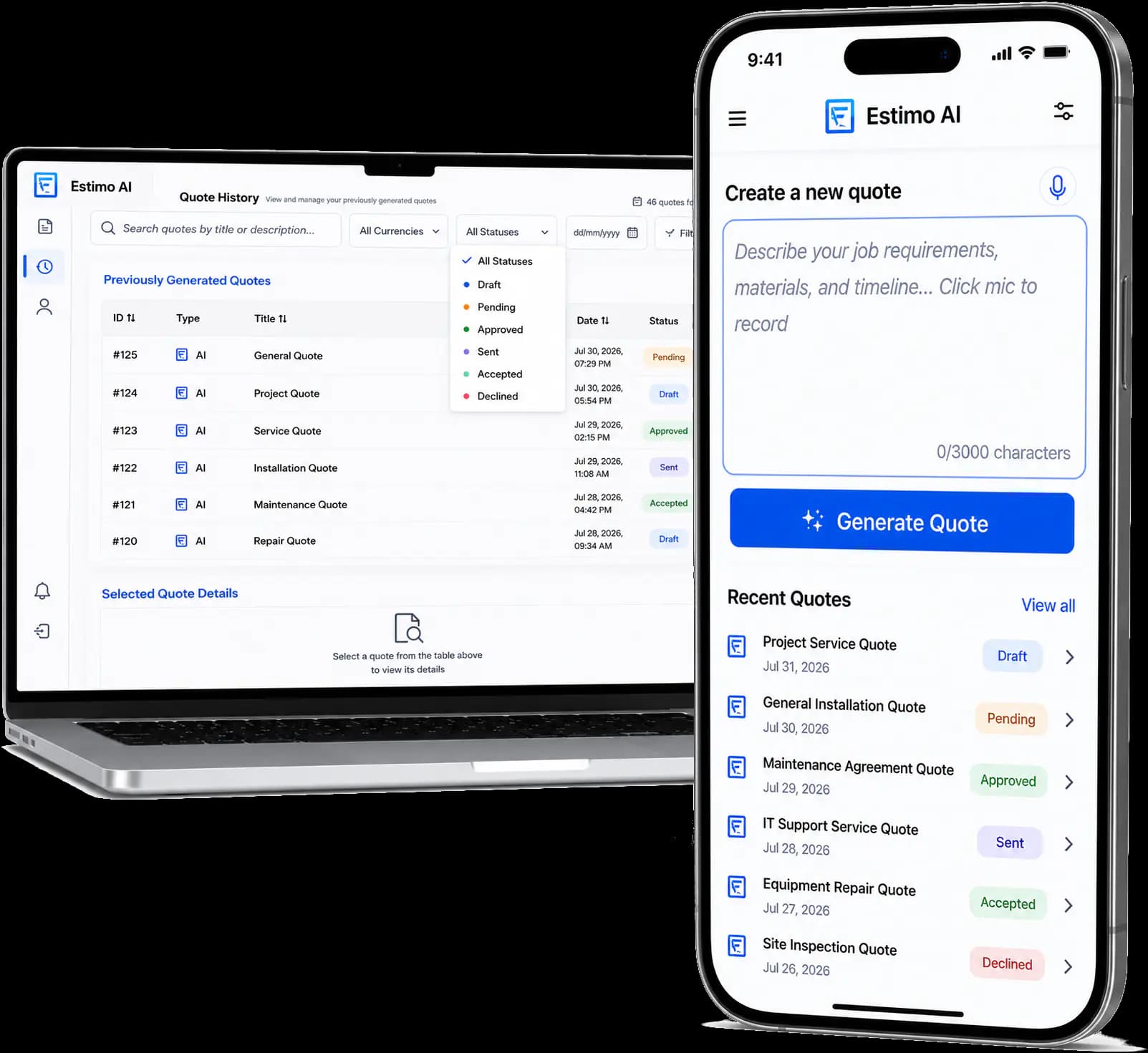
Estimo AI creates the first draft. You review and approve every item, price and term before sharing it.

Turn job details into a professional quote, then review it before sharing.

See a brief job description become an itemised quote that you can review before sharing.
Describe the work, review your quote, and download your branded PDF.
Describe the work in your own words. Estimo AI creates an itemised quote in seconds, ready for you to check and fine-tune before sharing.
Add up to five job photos alongside your description to give Estimo AI more context about visible details. Review the draft and confirm measurements and scope before sharing. Photos are not included as images in your saved Quote or PDF.

Choose English (including UK or US spelling), Italian, Spanish, French or German for newly generated Quote content, even when your job description is in a different language. The Estimo interface stays in English, and existing Quotes are not translated.

Adjust the scope, add items, or change pricing before sharing. Choose No Prices (Manual Entry) to draft labour and material line items, then enter your own prices. AI-suggested prices are optional and always yours to review.
Keep Client details in your directory, then select a saved Client after generation to fill in their name and address. Review or edit those fields for the job. Later changes to the Client do not rewrite existing Quotes.

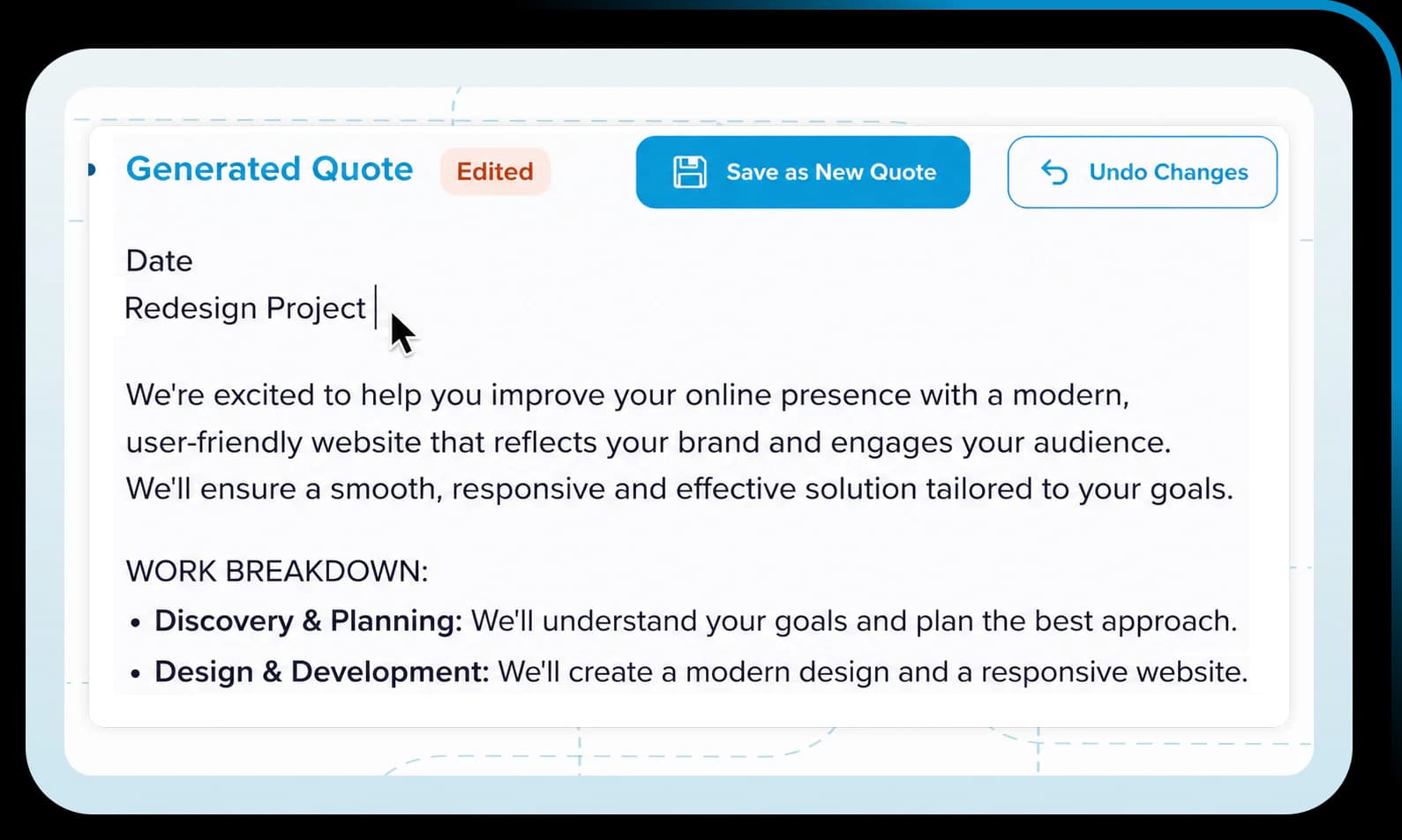
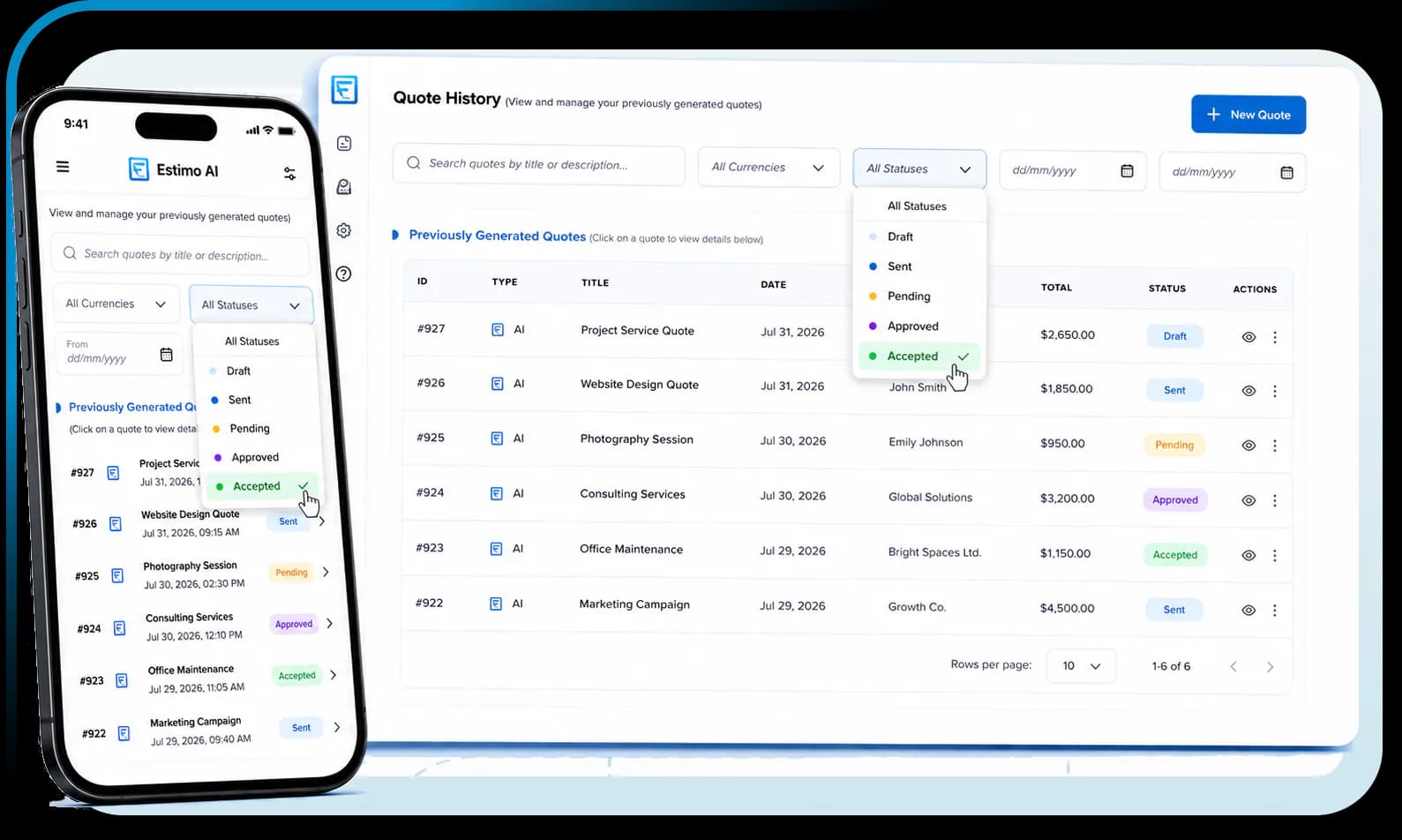
Never lose track of a project again. Every quote you generate is stored in your history, so you can review, duplicate, or update previous quotes anytime. Organized records help you stay on top of client requests.
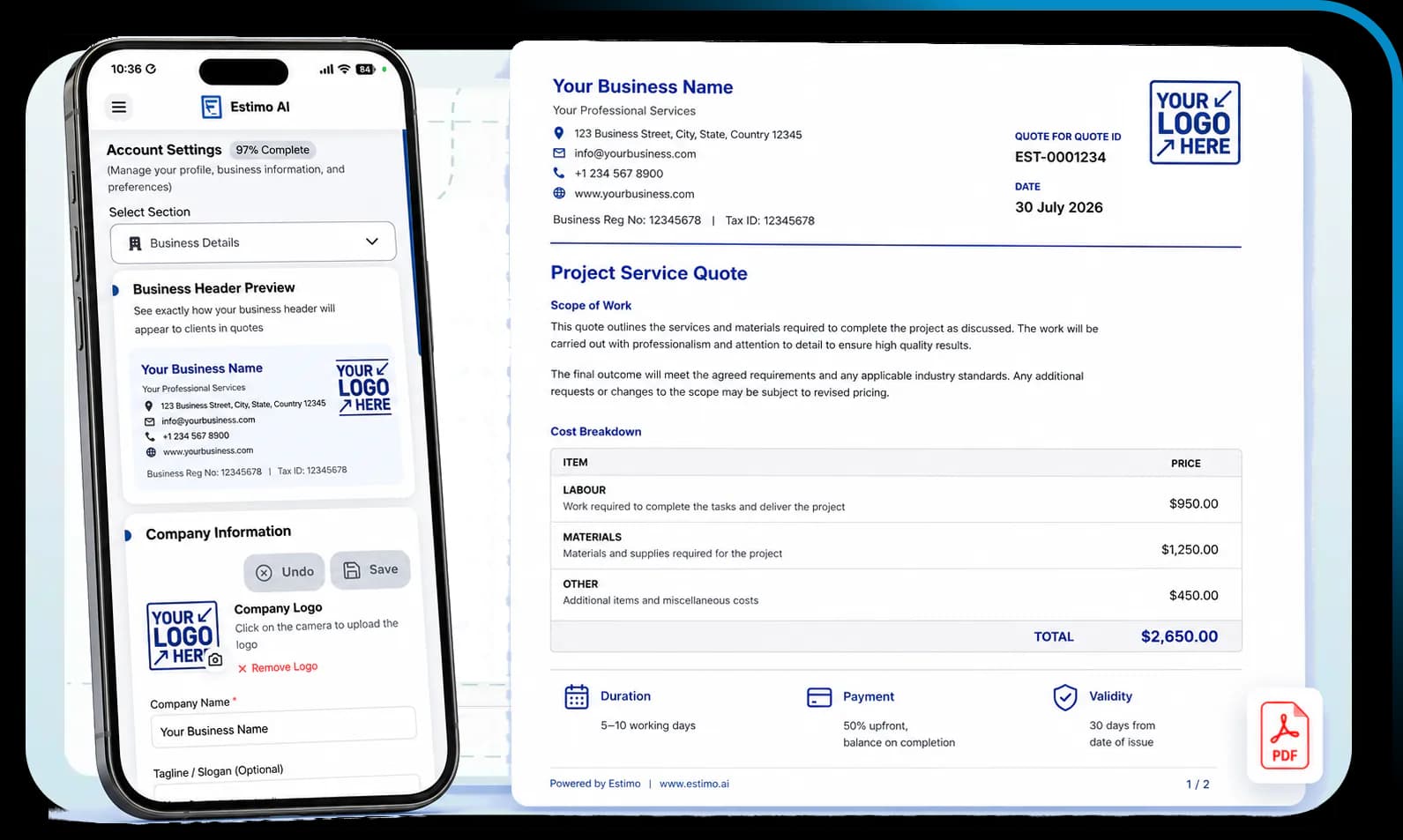
Make your quotes look polished and professional. Add your company logo, adjust headers, and apply consistent branding so every document you send reflects your business identity.
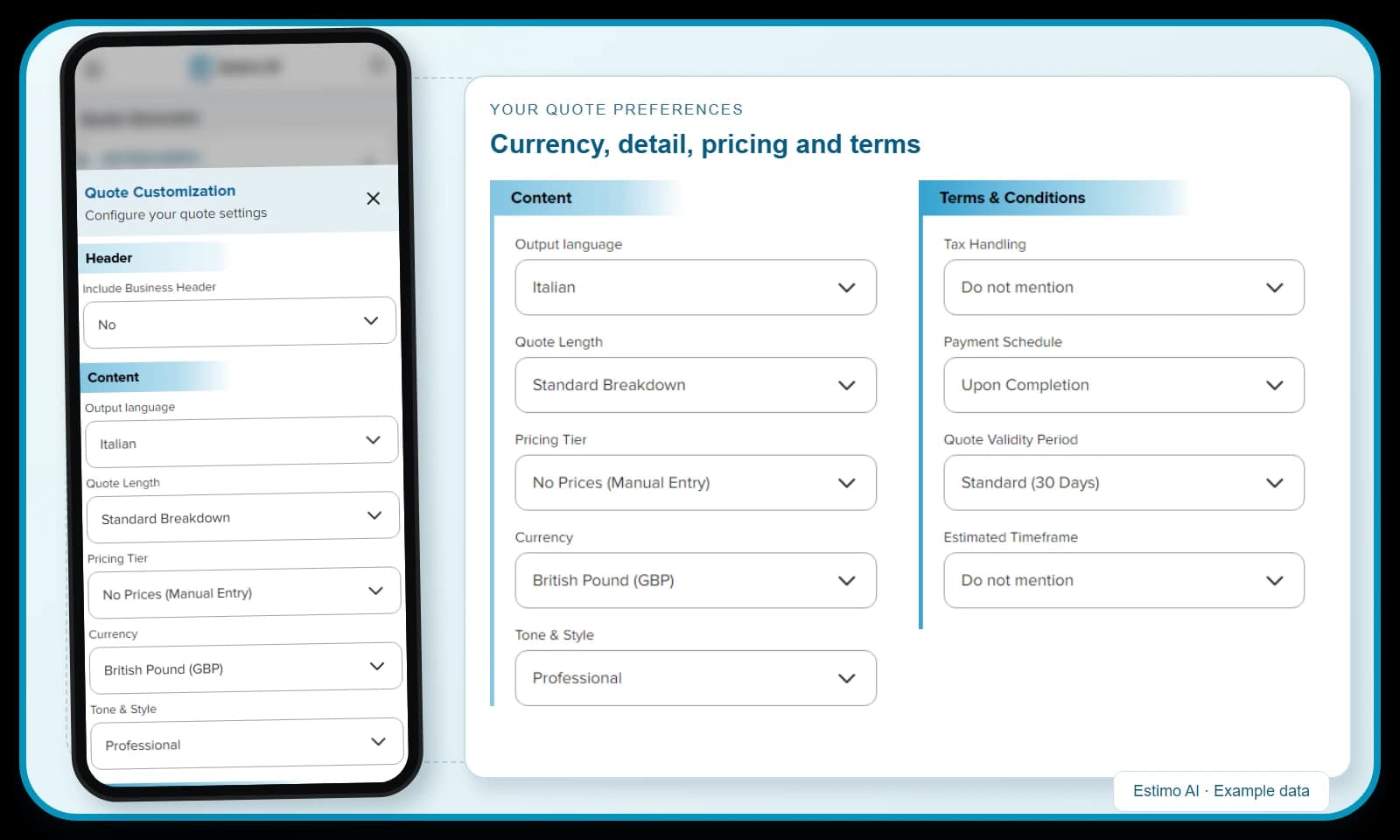
Save your preferred currency, output language, tone, level of detail and payment terms as defaults for future Quotes. Spend less time repeating the same setup while keeping each Quote’s saved choices independent of later changes.
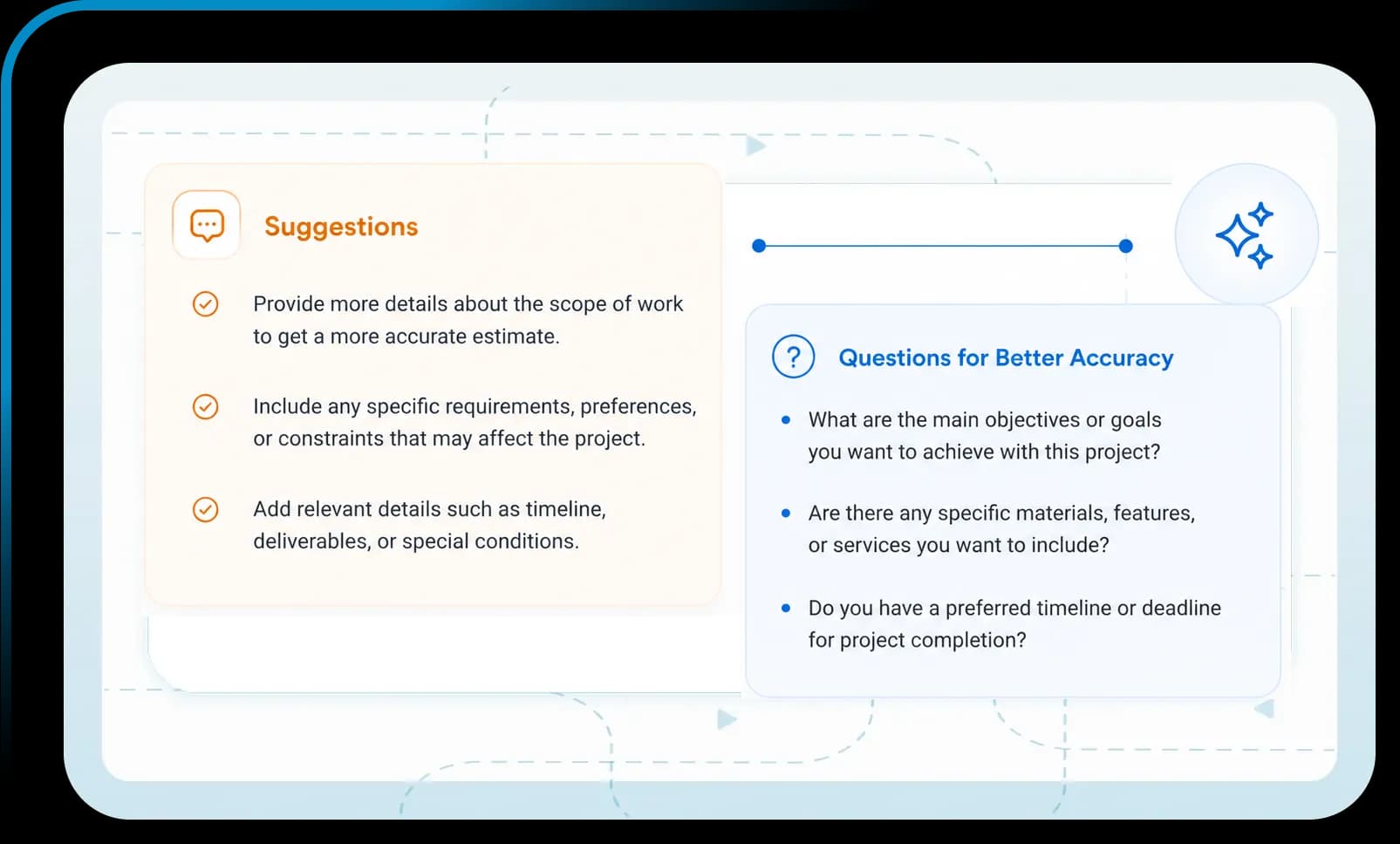
Review job-specific suggestions and clarification questions about missing details, conflicting requirements and assumptions that could affect scope, cost or timing. Use them to improve your job description before finalising your Quote.
Based on early testing and feedback from independent service businesses, including interior builders, gardeners and a photographer. These figures reflect those participants' experience; individual results may vary.
Starts a quote on her phone while still with the customer, then reviews and finishes it later on another device.
Found Estimo easy to start using, with even more useful results after adding her business details and quote preferences.
Finds Estimo quick and useful for preparing job-specific trade quotes without hours of material-price research at home.
Says a customer quote can take two hours to prepare, and Estimo helps her spend less time on that admin.
More customer feedback on Trustpilot.
Start with 30 calendar days and 10 AI-generated Quotes, with no card or plan choice. Choose one of these paid plans only if you later continue.
Loading pricing...
Practical advice for anyone who quotes for their work